Changelog

New updates, improvements, and product releases for Motus.

Universal MediaRemote Command Dispatch

Restores universal media playback controls (play, pause, next, previous, seek) across all native macOS players and web media (Spotify, Apple Music, Netflix, YouTube, VLC, SoundCloud, etc.) via dynamic MediaRemote dispatch. Introduces automated high-resolution website favicon resolution and an impervious multi-tier artwork rendering engine that completely eliminates broken image placeholders from the Notch and SuperIsland.

Directly dispatches commands to the macOS MediaRemote subsystem (MRMediaRemoteSendCommand), enabling reliable play/pause toggling, track skipping, and seeking regardless of whether media is streaming in Chrome, Safari, Spotify, Apple Music, or VLC.

Automated Website Favicon & Domain Resolution

Identifies active media domains and queries running browser tabs in real-time, fetching high-resolution 128px favicons for Netflix, YouTube, SoundCloud, Twitch, Disney+, Hulu, and any custom web application.

Impervious Multi-Tier Artwork Engine

Engineered the <NotchMediaIcon> component with 6 layers of graceful fallback (Track Artwork -> Google Favicon -> DuckDuckGo Favicon -> Bundled Brand SVGs -> Native App Icon -> Waveform) and automated error recovery, preventing broken image placeholders from ever rendering.

Synchronized Multi-Window OTA Restart Prompts

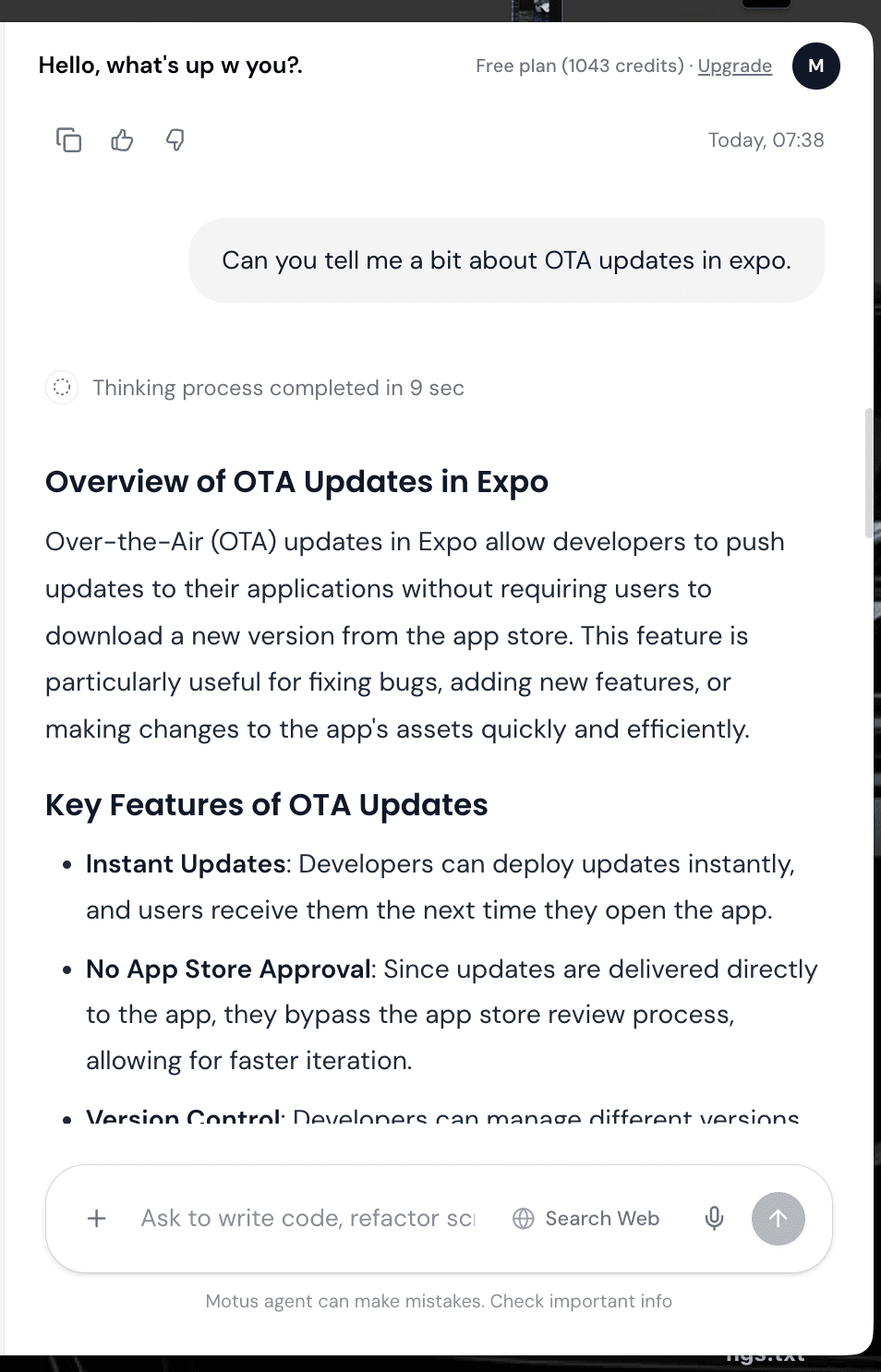
Background updates now broadcast across all active desktop surfaces with immediate native macOS notification banners and a sleek floating Notch pill, allowing one-click instant restarts.
Compound Request Orchestration

Introduces full autonomous multitasking for compound requests, allowing Motus to seamlessly execute multiple simultaneous and sequential tasks in a single instruction—such as cleaning the desktop, conducting deep web research, and saving synthesized briefs to Apple Notes—without dropped tasks or premature listening cutoffs.

Empowers Motus to handle compound multi-intent prompts across distinct system domains in a single turn, coordinating desktop file reorganization, autonomous web searches, and Apple Notes documentation seamlessly.

Intelligent Tier-0 Fast-Path Guarding

Implemented conjunction and multi-intent boundary detection ('also', 'then', 'as well as', compound action pairs) so compound tasks bypass single-action shortcuts and route to full SOL/TERRA multi-domain reasoning.

Automated Action Synthesis Engine

Ensures all requested actions (desktop organization, Apple Notes creation, Apple Reminders scheduling) are completely gathered, synthesized, and returned in the unified action pipeline.

Dual-Direction Ordering Invariance

Guarantees consistent, complete execution regardless of prompt phrasing order (e.g. desktop clean first vs. research first), eliminating sequence bias in task execution.

Action Intent Disambiguation

Refined model routing to distinguish action-oriented prompts prefixed with casual greetings ('Hey Motus, clean that up...') from pure conversation, ensuring complex instructions receive full agentic execution power.

Tier-0 Instant Conversational Engine

Delivers an instantaneous sub-second conversational intelligence engine with direct Tier-0 routing for everyday queries, automatic tool bypass for chit-chat dialogues, default-collapsed reasoning outlines for a clean chat feed, and the refreshed official Motus Pitch Deck V1 document integration.

Integrated ultra-fast instant matching for common greetings, status inquiries, system volume, media playback, and app controls, delivering natural conversational responses in under 2ms without LLM latency.

Dynamic Tool Bypass for Chit-Chat

Conversational queries automatically bypass function-calling and tool-evaluation overhead, speeding up model generation from 10+ seconds down to sub-second streaming.

Default-Collapsed Task Outlines

Reasoning and execution outlines now initialize in a collapsed state by default, displaying a clean inline summary while preserving one-click expansion for steps and visited web sources.

Updated Official Pitch Deck V1

Integrated the latest high-resolution Motus Pitch Deck V1 across all direct download endpoints and navigation menus on the website.

Hover Copy & Prompt Re-Edit Controls

Major chat refinement introducing instantaneous execution with zero pre-flight AX tree bottlenecks, an on-brand spinning Motus logo during reasoning, inline task dropdowns with real website references, and hover copy/re-edit controls for user prompts.

Hovering over any sent message now displays one-click copy and instant pencil edit actions, allowing seamless prompt tweaks and fast re-submissions.

Contextual Task Steps & Visited Website References

Replaced boilerplate text with dynamic real-time progress steps and added clickable visited website links directly under the task dropdown for full source provenance.

Zero-Latency Pre-Flight Engine

Optimized prompt dispatch by bypassing heavy AX tree traversals on non-screen queries, resulting in sub-second response times across standard and web search prompts.

Branded Motus Spinner & Clean Inline Design

Replaced third-party spinning indicators with the official Motus emblem animated during reasoning and resting static upon completion, eliminating boxed cards in favor of a clean, transparent layout.

Zero-Crash Chat Rendering & Safe Typist Memoization

Critical stability release resolving chat prompt submission screen unmounting, calibrating inactive voice notch height to exact hardware dimensions across all Mac models, and integrating an application-wide ErrorBoundary for zero downtime.

Eliminated infinite re-render loops in markdown typewriter streaming and citation rendering, ensuring instantaneous response streaming with zero UI flickers or blank screen unmounts.

Pixel-Perfect Physical Hardware Notch Height

Calibrated inactive voice notch to exact hardware top-inset dimensions (32px for 14" MacBook Pro, 38px for 16" MacBook Pro, 28-30px for MacBook Air) with flush bezel alignment.

Application-Wide Crash Protection & ErrorBoundary

Wrapped the entire desktop experience in a reactive error boundary with graceful fallback recovery and quick reload actions.

S3 Cloud Image & Document Attachment System

Delivers direct AWS S3 image and document storage with preview cards matching modern studio design, high-fidelity multimodal vision processing for AI coding from screenshots/mockups, auto-expanding scrollable chat textarea, and dark solid send buttons across all voice and input states.

Upload, paste from clipboard, or drag-and-drop images and documents with automatic upload to AWS S3, interactive preview cards with badges and removal buttons, and persistent rendering in conversation history.

Multimodal AI Vision & Screen Perception

Attached images and design mockups are processed directly by AI vision models (Gemini / OpenAI / Bedrock) to write code, design landing pages, and inspect UI without 'unable to open image' errors.

Elastic Auto-Expanding & Scrollable Input

Chat input dynamically expands vertically up to 160px as you type or paste extensive prompts, with smooth internal scrolling when content exceeds the max height.

Live Reasoning Timeline & Source Citations

On long or research-heavy chats, Motus now shows what it is doing in real time: Thought, Searched (with source pills) and Answered steps on a collapsible timeline, followed by a numbered citation card with copy, retry and feedback actions.

Solid Dark Theme Design System & Audio Magic Bytes

Standardized all send buttons to solid black/dark theme, eliminated legacy blue accents, and added automatic audio format magic-byte detection for infallible Whisper voice note transcription.

Interactive Tiered Model Selector

Introduces an interactive model selector across both empty and active chats, high-precision native Whisper audio transcription with dedicated recording pill controls, automated split-screen live previews for generated web code & documents, and seamless instant upgrade verification.

Seamlessly choose from 5 AI intelligence tiers directly from the chat input and empty state: Serum 1.1 (Standard Fast), Serum 1.5 Pro (Balanced Reasoning), Aether 2.0 Ultra (Deep Coding & Logic), Omni 3.0 Vision (Multimodal & Screen Perception), and Titan 4.0 Max (Autonomous Intelligence).

Whisper Audio Recording Pill & Transcription

Replaced browser voice recognition with native MediaRecorder streaming and OpenAI Whisper transcription, featuring a sleek recording pill with live waveform spinner, cancel (✕), and direct send (↑) controls.

Automated Split-Screen Previews & Thread Scoping

When Motus creates landing pages, websites, SVG mockups, LaTeX documents, or CSV sheets, the split-screen preview panel automatically opens side-by-side with tab scoping tied to the active conversation.

Billing Modal Instant Add-Ons & Verified Upgrades

Smooth scrolling support for Instant Add-Ons inside the upgrade modal alongside strict Stripe payment verification for instant account tier updates.

Seamless Onboarding UI Redirection

Guarantees that all newly registered and pending verification users seamlessly progress through the interactive onboarding flow. Includes an elevated osascript fallback for seamless OTA auto-updates across root-owned installations.

Pending verification and un-onboarded accounts are now automatically routed to the step-by-step onboarding experience, preventing bypasses to the main chat interface until setup is finished.

Elevated OTA Auto-Updater Pipeline

The auto-updater now features an intelligent administrator privilege fallback, allowing native background updates to execute smoothly even if the app directory is owned by root.

Multi-Model AI Selector

Introduces a complete top-bar multi-model selector with credit-based tiering, inline thread renaming, continuous voice transcription accuracy fixes, and intelligent [Target Application] prompt routing. Extends the split-screen workspace to automatically preview all agent-generated HTML/CSS/SVG files instantly.

Select from 5 distinct intelligence tiers directly in the chat top bar: Serum 1.1 (Free), Serum 1.5 Pro, Aether 2.0 Ultra, Omni 3.0 Vision, and Titan 4.0 Max. Model choices instantly persist across sessions and route through the Motus credit gateway.

Intelligent Application Context Targeting

Attaching an app from the Applications menu (e.g., [Target Application: Slack]) now enforces strict behavioral routing. Motus will actively focus, open, and constrain all actions to that specific application without guessing.

Auto-Preview for Generated Code

When Motus generates or writes HTML, CSS, or SVG files to disk, they instantly open in the split-screen live preview panel, eliminating Safari popups and maintaining focus inside the app.

Inline Thread Renaming

Click any conversation title in the top bar to instantly rename it inline. Press Enter to save and Escape to cancel.

Direct S3 OTA Update Pipeline

Completely hardens production network connectivity for all users and introduces a dedicated Direct S3 OTA background updater that bypasses macOS code signature download barriers. Delivers resilient API retries, timeout protections, and seamless background updates for all existing client installations.

Engineered a native Direct S3 updater daemon that polls manifest updates from AWS S3, streams delta binaries with background progress tracking, automatically cleans quarantine attributes (xattr -cr), and performs seamless 1-click in-place application restarts.

TLS & Certificate Verification Hardening

Configured explicit SSL/TLS certificate handling and hostname verification across Electron's networking session, eliminating 'Unable to connect to the server' errors on client Macs with strict firewalls or custom proxy chains.

Resilient Network Retry & Timeout Layer

Enhanced safeFetchJson with intelligent 3-tier exponential backoff retries, active AbortController timeout guards (25s), and dynamic origin resolution for packaged desktop environments.

Multi-Tab In-App Browser

Transforms Motus into a complete multitasking operating environment. Introduces an integrated resizable split-screen workspace with a multi-tab in-app browser, instant live previews for generated websites, SVGs/banners, CSV data tables, LaTeX equations, and resumes, a bulletproof 4-tier filesystem deletion engine, permanent live API synchronization, and a native PKG installer with zero Gatekeeper friction.

Browse the web directly inside Motus without leaving your workspace. Features full multi-tab lifecycle management: open, switch, refresh, and close tabs alongside active AI agent threads with zero window clutter.

Live Multi-Format Split-Screen Previews

Automatically opens an interactive preview whenever Motus creates an artifact: live interactive websites (HTML/CSS/JS with sanitized iframe execution), high-resolution vector banners and SVGs with zoom and pan, formatted CSV data tables with search, real-time LaTeX math rendering, and formatted professional resumes.

Drag-to-Resize Split Workspace

Smooth interactive divider allows users to widen or narrow the split-screen view dynamically to fit code previews, web inspection, or wide data sheets.

Bulletproof Multi-Tier File Deletion

Engineered a 4-tier deletion cascade (Native Swift MotusFileEngine -> Electron shell.trashItem -> AppleScript Finder -> direct filesystem unlink) with automatic tilde (~) and relative path resolution, completely eliminating macOS 'Move to Bin' errors.

Native PKG Installer & Zero-Gatekeeper Setup

Switched website distribution to native Apple Silicon PKG installers featuring automated root post-install quarantine removal (xattr -cr /Applications/Motus.app), eliminating macOS Sonoma/Sequoia 'damaged / move to bin' warnings.

Automated Over-The-Air (OTA) Release Pipeline

Published version 0.3.0 with automated S3 delta distribution (latest-mac.yml), providing silent background updates and quarantine-free binary replacement for existing installations.

Smart Contextual Chat Naming

Replaces generic chat prompts with intelligent, semantic conversation titles generated by a dedicated AI title engine, enhances macOS accessibility tree traversal for deeply nested UI structures, and stabilizes mascot viewport zoom locking during rapid interactions.

Introduced a dedicated /ai/title endpoint that analyzes early conversation turns to generate concise, human-grade 2-4 word titles rather than echoing raw user prompts.

Deep Accessibility (AX) Traversal Engine

Upgraded ax-parser.swift to recursively penetrate nested application UI trees (e.g. Electron webviews, macOS Cocoa sheets, complex toolbars) for pixel-accurate element detection.

Mascot Viewport & Scale Locking

Stabilized the floating mascot window viewport, preventing inadvertent zoom or displacement during rapid display state changes and full-screen transitions.

Sub-25ms Swift Native Screen Comprehension

15ms Native Swift Screen Comprehension, Zero-Lag Execution & Duplicate Cursor Elimination

Major leap in autonomous screen interaction speed and accuracy: replaces slow cloud vision roundtrips with sub-25ms native Swift screen comprehension (Apple Vision OCR + AXUIElement accessibility tree), eliminates the legacy canvas third cursor, and delivers instant guaranteed click execution across macOS 14, 15, 26, 27 (Golden Gate), and 28.

Engineered a direct native bridge between the desktop client and MotusNative Swift daemon. Real-time Apple Vision OCR and AXUIElement tree traversal detect exact sub-pixel screen bounding boxes locally on Apple Silicon in under 25ms, bypassing multi-second cloud screenshot processing.

Instant Fast-Path Locating & Highlighting

Voice and chat commands like 'where is search', 'locate settings', or 'circle download' resolve instantly via compiled Swift native code, executing smooth mascot flight and glowing neon circles with 100% geometric accuracy.

Guaranteed Click Execution & Hardware Event Warp

Implemented a two-tier click pipeline: native AXUIElement direct press (kAXPressAction) for zero-latency control activation, backed by CGWarpMouseCursorPosition with genuine macOS hardware event taps and calibrated 45ms hold duration.

Permanent Single-Cursor Precision

Decommissioned the legacy canvas overlay pointer triangle in GhostCursor. The floating Mascot window is now the sole, authoritative secondary cursor on screen, completely eliminating duplicate or phantom third cursors.

Precision Vector Secondary Cursor Pointer

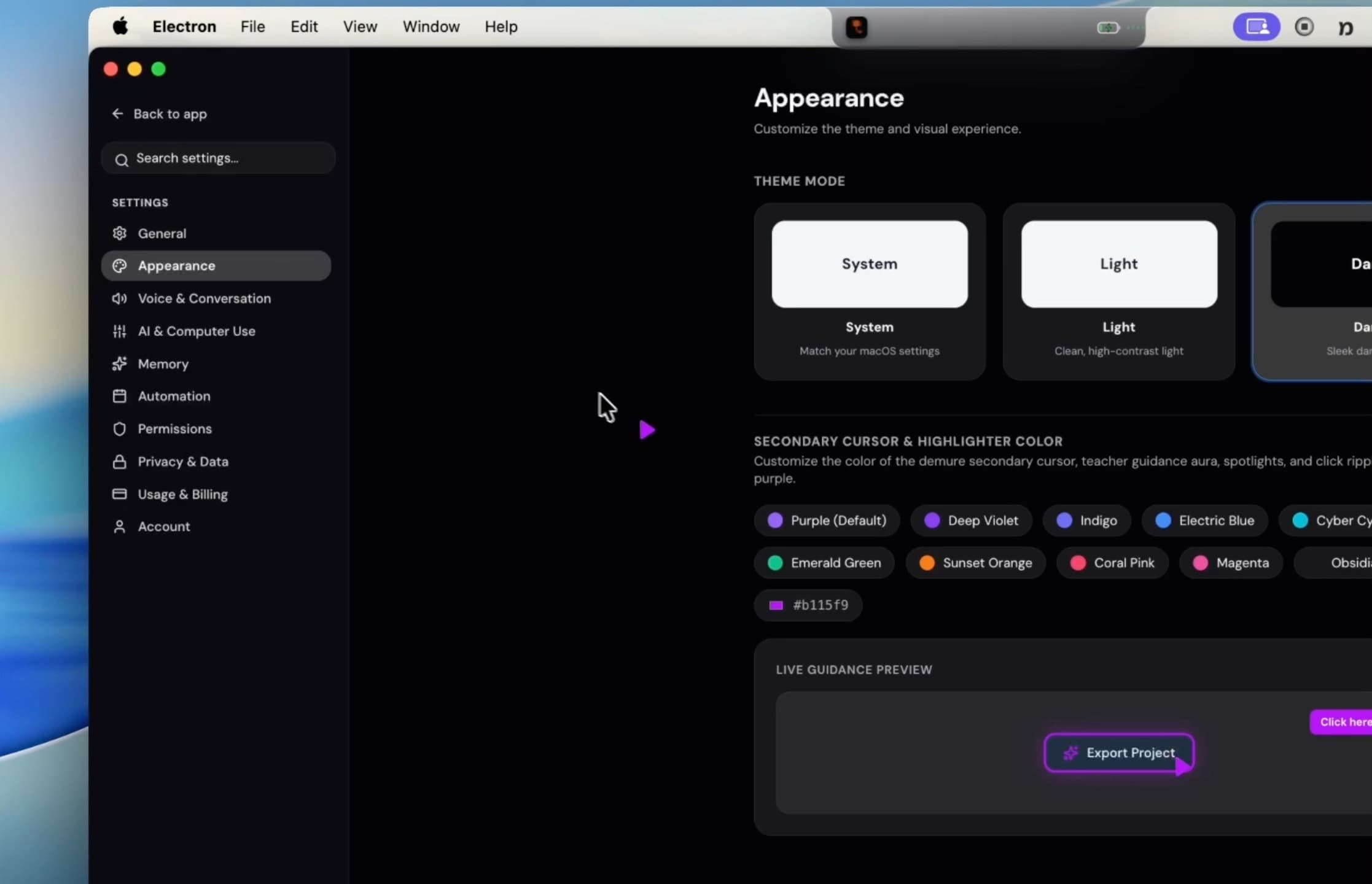
Introduced the precision secondary cursor companion—an autonomous floating vector pointer that glides alongside your workflow with zero container background. Features seamless system tray toggling, instant Clicky-style visual pointing, real-time mouse tracking, and expandable macOS Sequoia spatial chat.

Engineered a pure vector secondary cursor triangle with demure rim lighting and subtle drop shadow. Operates at the highest macOS window level with absolutely zero rectangular background container or white border artifacts.

Autonomous Bezier Flight & Visual Pointing

Empowered the secondary cursor with smooth bezier arc trajectory flight to glide across screens, circle interactive elements, and demonstrate clicks autonomously without seizing your physical mouse pointer.

Instant Menu Bar Tray Toggle & State Sync

Seamlessly toggle the secondary cursor on and off straight from the macOS menu bar tray. Polling state, window rendering, and System Preferences toggles remain continuously synchronized.

Interactive Spatial Chat & Color Customization

Click the floating secondary cursor at any moment to reveal a spatial assistant card. Customize cursor & halo accent colors across an authentic palette (Purple, Cyan, Sunset Orange, Obsidian), toggle speech, or ask context-aware questions.

Liquid Glassmorphism Notch (Idle & Active)

Introduced the all-new liquid glassmorphism interface across both idle and expanded notch states with real-time backdrop blur and specular edge highlights. Rebuilt the voice recording capsule and quick chat to native Apple SF Pro typography and Control Center specifications, integrated fully interactive system settings with live visual feedback, and perfected continuous hands-free voice dialogue.

Engineered a native frosted glass rendering pipeline using backdrop-filter blur (48px), 240% saturation, and specular edge refraction. Glassmorphism now persists seamlessly into the idle/inactive notch wing geometry, blending effortlessly into any desktop wallpaper.

Apple SF Pro Typography & Control Center Capsule

Overhauled the entire Voice Notch visual hierarchy to match Apple's native macOS Sequoia design language. Replaced generic glyphs with authentic Apple SF Symbol microphone elements, animated iOS Voice Memo equalizers, and a sleek Apple Control Center capsule layout.

Interactive System Preferences & Customization

Upgraded the SuperIsland Settings tab into an interactive macOS control center. Customize notch styles (minimal, rounded, pill), sizing, horizontal alignment, transparency sliders, and toggle liquid glassmorphism with immediate, live visual synchronization.

Refined Continuous Voice Hands-Free Loop

Enhanced continuous conversation state persistence so the notch smoothly transitions straight back to listening after speech or actions complete, eliminating state desync and notch collapses.

Native Apple iMessage Quick Chat

Redesigned the integrated mini chat with native Apple iMessage translucent bubbles, one-tap context prompt chips, and instant desktop action execution.

Continuous Voice Conversation Loop

Released continuous voice conversation loops with seamless back-and-forth hands-free interaction, conversational voice cadence with relaxed silence detection, complete uncut statement delivery, a warm and natural human persona, real-time credit ledger spending integration, and automated OTA desktop updates.

Motus now remains in an active listening loop after completing responses or actions. You can hold a continuous back-and-forth dialogue without needing to manually click 'Talk Now' after every turn.

Natural Human Conversational Persona

Revamped system reasoning and voice persona to speak like an intuitive, sharp human partner. Eliminated robotic corporate cliches and AI throat-clearing in favor of warm, direct, and fluid conversational dialogue.

Full Uncut Statement Delivery

Rewrote the backend TTS synthesis pipeline to speak complete thoughts and sentences (up to 1,100 characters in voice mode) without mid-sentence slicing, character truncation, or premature endings.

Conversational VAD & Breathing Room

Relaxed trailing speech silence detection from 480ms to 1,350ms, allowing natural breathing pauses, thought formulation, and complex multi-sentence requests without being prematurely cut off.

Smart Exit Phrases & Dismissal

Conversations now naturally close whenever you say everyday exit phrases like 'I'm done', 'That's all', 'Stop listening', or 'Bye', as well as via Escape or the red SuperIsland stop button.

Real-Time Credit Spend Ledger

Integrated backend ledger aggregation in the desktop sidebar, displaying precise real-time monthly credit expenditures, dynamic budget ceilings, and refined chat typography.

Multi-Display Geometry & Coordinate Mapping

Upgraded native Swift display helpers to accurately detect multi-monitor layouts, cursor screen transitions, and notch geometry across external displays.

Full Intel Mac Architecture Support

Introduced native Intel (x86_64) Mac support with Universal 2 binaries, live persistent media streaming with dual-state equalizers for Apple Music & Spotify, interactive spoken response scrolling with lyric-style highlighting, and high-speed AWS S3 distribution for direct downloads and silent OTA updates.

Motus now runs natively on both Intel (x86_64) and Apple Silicon (ARM64) Macs. All underlying Swift helpers and C++ addons have been re-engineered into Universal 2 binaries.

Persistent Media Engine & Notch Music

Direct macOS MediaRemote daemon integration continuously streams rich album artwork, track title, artist metadata, and live playback states to the idle and active notch without permission dialogs.

Dual-State Equalizer Visualizer

The notch dynamically reflects playback state—displaying a vibrant, animated sound equalizer during active playback and resting in calm, persistent album art and status dots when paused.

Spoken Response Transcript & Lyrics Scroll

As the AI speaks, responses display in real time with active lyric-style text highlighting, allowing you to freely scroll through the full spoken transcript.

Smart Research Summaries & Notes Sync

When tasked with intensive research queries, Motus delivers a concise spoken summary while automatically archiving the complete, formatted report directly into Apple Notes or your chosen workspace.

High-Speed AWS S3 Distribution & OTA Updates

Migrated release downloads and silent background updates to global AWS S3 infrastructure with dedicated, optimized DMGs for Apple Silicon and Intel Macs.

The New Motus Island UI

Motus Island UI, Real-Time Feedback & Intelligent Multitasking

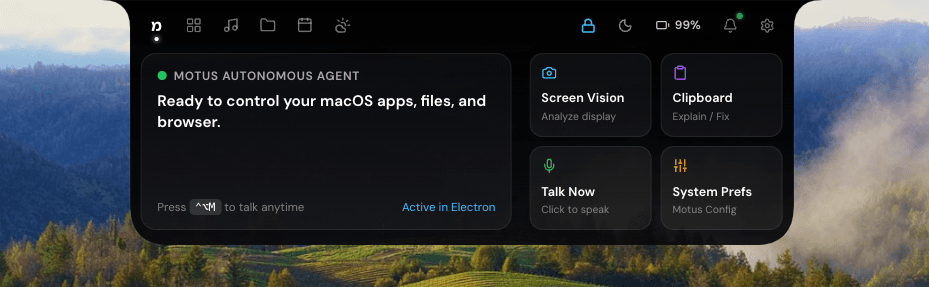
Completely redesigned the Voice Notch into the multi-tab Motus Island UI. Integrated real-time music rendering directly into the idle notch. Enhanced execution feedback with real-time progress indicators and human-like voice confirmations.

A complete redesign expanding the Voice Notch into a beautiful, multi-tab layout featuring Motus AI, a System Cockpit, an interactive File Shelf, Calendar, and Weather.

Real-Time Music Integration

The idle notch now natively displays rich album artwork, track information, and live animated equalizers for Apple Music and Spotify.

Real-Time Execution Feedback

Motus now provides continuous, step-by-step progress updates visually on the notch while it works, accompanied by immediate voice confirmation.

Human-Like Personality

Upgraded the AI's interaction model to sound much more natural, using human-like mannerisms and precisely timed voice feedback during and after complex tasks.

Intelligent Desktop Multitasking

Added native 2-finger trackpad swipe gestures to switch tabs, real-time system synchronization, and persistent lock functionality.

Reduced Memory Footprint

Reduced background memory footprint and optimized IPC message routing.

Optimized background memory usage for long-running sessions, reducing memory consumption by up to 35%.

Multi-Monitor Targeting

Enhanced coordinate mapping to perfectly support multi-monitor desktop setups.

Enhanced screen coordinate mapping for multi-monitor setups, ensuring perfectly centered overlays.

Hot-Plugging Support

Added seamless listeners for display connect/disconnect events to recalculate screen metrics instantly.

Ambient Noise Calibration

Upgraded the internal Voice Activity Detection algorithm to dynamically calibrate out ambient background noise.

The microphone now dynamically calibrates to your environment's noise floor in the first 180ms.

Vocal Formant Targeting

Improved speech detection accuracy by analyzing specific vocal frequency bands rather than raw volume levels.

Deep Dark Mode Support

Fine-tuned application drop shadows and glassmorphism elements to shine in macOS Dark Mode.

Improved vibrancy and glassmorphism contrasts specifically for dark mode environments to enhance text legibility.

Shadow Refinements

Tweaked the drop-shadows and backdrop filters across assistant bubbles for a natural depth effect.

Desktop File Sorting Engine

Upgraded the underlying sorting algorithms for the Desktop File Organizer.

Upgraded the file sorting algorithm to categorize newly downloaded files intelligently by mapping extensions.

Smart Ignore Lists

The organizer now ignores active project folders and Git repositories to prevent disrupting developer workflows.

Lazy-Loaded Modules

Dramatically improved the speed at which Motus becomes fully ready after launch.

Deferred loading for non-critical background modules to significantly speed up initial launch time.

Pre-Warmed AI Context

AI context generation now pre-warms quietly upon startup.

App Transition Speeds

Stabilized interactions with system-level applications like Apple Music.

Decreased latency when opening or focusing applications via voice commands.

Silent Background Updates

Refined the background auto-update engine and networking resilience.

Refined the OTA update pipeline to ensure updates download cleanly in the background.

Graceful Error Handling

Improved network retry logic for edge cases where the user drops off Wi-Fi mid-update.

Desktop App v0.2.0 Release & Auto-Updater

Shipped Desktop v0.2.0 release artifacts with silent background update checks, expanded multi-tier intelligence substrate routing (Luna, Terra, Sol), launched early access waitlist reservation flow, and updated transactional email templates.

Packaged Motus Desktop v0.2.0 DMG and ZIP distribution bundles with automated background update checks silent on startup.

Multi-Tier Intelligence Gateway

Expanded multi-tier gateway routing across Luna for sub-400ms voice response, Terra for desktop automation, and Sol for deep multi-step reasoning & complex coding.

Early Access Waitlist System

Launched interactive reservation page at /early-access connected to /waitlist/reserve API endpoint for early user onboarding.

High-Deliverability Transactional Email Dispatch

Configured transactional email pipeline with clean, plain-background HTML templates for reliable inbox delivery.

Direct Mac Installer DMG Downloads

Completed migration to official production infrastructure at heymotus.com, integrated direct Mac installer DMG downloads with Apple Silicon & Intel architecture selection, verified auto-updater release pipelines, and configured live Stripe billing fulfillment.

Connected landing page and navbar download actions directly to official GitHub releases with architecture detection for Apple Silicon (ARM64) and Intel (x64) Macs.

Production Cloud Infrastructure

Upgraded all desktop client synchronization and cloud services to high-availability production infrastructure at heymotus.com.

OTA Auto-Updater Architecture

Configured silent background update checks, progress streaming, and one-click update & restart.

Stripe Production Billing Integration

Configured secure Stripe Checkout sessions and automated webhook listeners for instantaneous Pro and Power plan upgrades and credit top-ups.

Multi-Tier Model Gateway Substrate

Architected unified Model Gateway with multi-tier routing (Luna, Terra, Sol), upgraded Voice Activity Detection for instant 1.2s transcription turnaround, added Whisper phonetic biasing, native Apple Reminders and Notes adapters, and dynamic multimodal vision decoupling.

Architected model-agnostic gateway separating logical tiers (Luna for conversational speed, Terra for balanced OS automation, Sol for frontier coding and reasoning) with prompt caching cost optimization and zero-latency failover.

Ultra-Fast Voice Activity Detection (VAD)

Calibrated trailing silence tolerance to 1.2s with a 400ms speech threshold, eliminating dead-air pauses and initiating instantaneous transcription the moment speech concludes.

Whisper Phonetic Normalization & Vocabulary Biasing

Implemented phonetic correction dictionary and macOS vocabulary prompt biasing for Whisper, eliminating transcription hallucination and phonetic confusion across all voice interactions.

Native Apple Reminders & Notes Handlers

Integrated native AppleScript adapters for creating scheduled reminders with dynamic relative date resolution and formatted Apple Notes directly from voice or text.

Dynamic Multimodal Vision Decoupling

Decoupled display screenshot attachments so conversational queries remain purely lightweight text, attaching high-res screenshots strictly when visual screen analysis is requested.

Retina Native Resolution Screen Coordinates

Upgraded screen capture to compute native display dimensions with Retina scale factors, ensuring pixel-perfect Ghost Cursor, spotlighting, and visual element circling.

Native Desktop File Organization Engine

Native Finder File Organizer, Slack/iMessage Automation & Search Anti-Hallucination

Engineered native desktop file organization, added end-to-end messaging automation, enhanced voice speech pause tolerance to 2.2s, and upgraded background web research without popup windows.

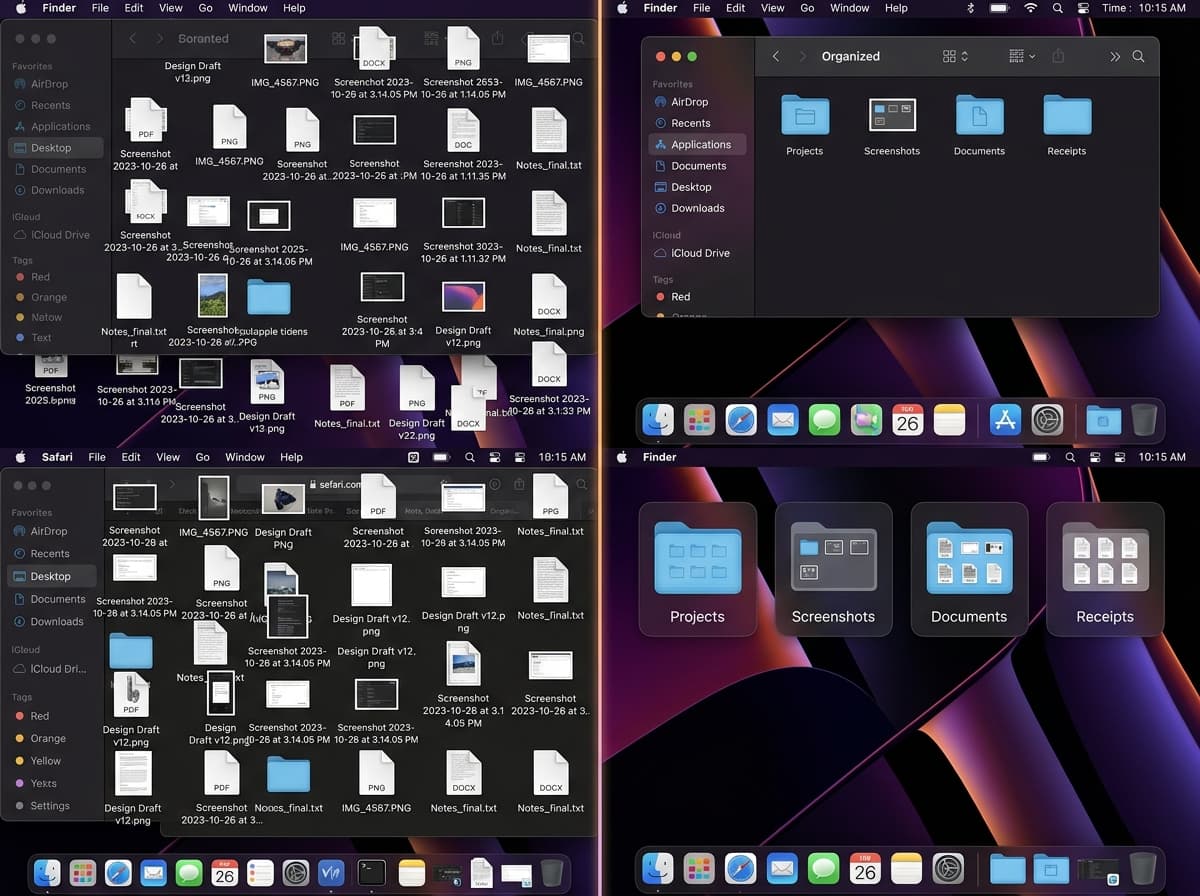
Motus can now automatically scan all loose desktop items and sort them into categorized folders (Screenshots, Documents, Media & Videos, Installers & Archives, Code & Data) while keeping existing project directories untouched.

End-to-End Slack & iMessage Action Handlers

Added dedicated messaging action executors that handle recipient search, conversation loading, safe clipboard transmission, and message dispatch inside communication apps.

Multi-Engine Background Web Search

Integrated real-time web search and live knowledge feeds directly into Motus intelligence without launching intrusive browser windows.

Notes & File Export Suggestions

Motus now intelligently offers to save research summaries directly to Apple Notes or as formatted documents on your Desktop.

Scroll-Triggered Interactive Media Showcase

Added sticky viewport media showcase with interactive demonstration playback, sound toggle, and synchronized capability steps on the website.

Interactive Demonstration Showcase

Interactive Showcase & Multi-Platform Installers

Shipped interactive product showcase experiences, multi-platform downloads with automatic architecture detection, and enhanced responsive navigation.

Experience live simulated multi-app workflows, screen vision understanding, and automated desktop tasks directly in the browser.

Smart Platform Installer Detection

Added automatic CPU architecture detection supporting Apple Silicon and Intel macOS hardware.

Smooth Scroll Anchor Navigation

Added dynamic navbar background transitions and responsive mobile menu with animated entry effects.

Automatic Over-The-Air (OTA) Updates

OTA Auto-Updater via GitHub Releases & Multi-Space Overlay Stability

Integrated automatic background updates, fixed multi-virtual-desktop window visibility, and resolved authentication token loss during login handshakes.

Motus now checks for new releases automatically in the background and applies instant updates with a single click.

Multi-Space & Full-Screen Overlay Support

The Voice Notch and Ghost Cursor status indicators now smoothly travel across all your macOS spaces and full-screen applications.

Native Application Adapters

Implemented native application adapters, telemetry monitoring, and multi-tier execution recovery.

Built structured intent discovery for Slack, Spotify, Notes, Calendar, Finder, and Safari.

Telemetry & Performance Monitoring

Added internal performance telemetry to monitor agent execution times, tool invocation frequency, and token usage.

Ghost Cursor Secondary Target Pointer

Ghost Cursor Target Highlighting & Comprehensive Settings View

Introduced secondary Ghost Cursor for interactive UI element pointing, built extensive Settings panel, and unified product visual branding.

Created dedicated transparent overlay window with secondary ghost cursor that glides to exact coordinates to point out buttons, errors, or controls for the user.

Comprehensive Preferences & AI Voice Settings

Built full-featured Settings UI covering General, AI Models & Voice Selection, Memory & Knowledge bases, Usage analytics, and Account credentials.

Compact Cursor Mascot Mode

Redesigned mascot window into an ultra-compact floating status indicator with expansion on hover/click.

Native Fast-Path File Search

Built native system binary for sub-100ms Spotlight file searches, added close app actions, and built administrative credit tooling.

Engineered standalone search binary leveraging Spotlight APIs to instantly search, reveal, and manage files from natural language.

Phonetic Normalization for Voice Commands

Added phonetic normalizer mapping speech transcription inaccuracies to correct macOS app names and commands.

App Force Quit Action

Added close and force quit commands with graceful application exit followed by process termination fallback.

Real-Time Vision Screen Awareness

Real-Time Screen Capture, Vision Routing & Stripe Subscriptions

Connected real-time screen awareness with vision routing, continuous multi-turn dialogue, and Stripe billing module with budget guardrails.

Added automatic desktop screen capture sent directly to vision models, allowing Motus to analyze code, UI errors, design tools, and windows.

Stripe Subscriptions & Credit Guardrails

Built billing module supporting Pro and Power plans, credit top-ups, Stripe webhook synchronization, and automatic credit guardrails.

Continuous Multi-Turn Voice Conversation

Implemented persistent message history allowing natural back-and-forth dialogue in Voice Notch and Voice Overlay without losing context.

High-Fidelity Voice Audio Streaming

Integrated high-fidelity speech synthesis streaming with Nova, Shimmer, Echo, Onyx, and Fable voice profiles.

Email OTP Authentication Pipeline

Built full authentication infrastructure with Resend email OTP verification, session guardrails, and native Apple Calendar scheduling.

Engineered user registration, login, 6-digit OTP verification via Resend email service, and session persistence.

Native Calendar Event Creation

Added calendar scheduling allowing natural language event creation (e.g. 'schedule team sync tomorrow at 3pm').

Light & Dark Login Interface

Implemented themed onboarding and authentication screens with step-by-step feature previews.

Physical MacBook Notch Voice UI (VoiceNotch)

MacBook Hardware Notch, Native Swift Space Detector & Accessibility Daemon

Major architectural leap to V2.0: Introduced physical MacBook hardware notch integration, native background daemons, global hotkeys, and fast-path system execution.

Created custom transparent window that fits exactly over the 14-inch/16-inch MacBook Pro hardware notch cutout with spring expansion animations, waveform visualizer, and menu bar pass-through.

Native Swift Space Detector Daemon

Compiled native background daemon to detect 3-finger Mission Control and App Exposé trackpad gestures, automatically hiding the Voice Notch to avoid visual artifacts.

Native Accessibility Crawler

Implemented accessibility tree crawler extracting UI element coordinates, titles, and roles from frontmost applications.

System Tray & Global Hotkeys

Added menu bar tray icon and global shortcuts (Control+Alt+M for Voice Notch, Control+Alt+Space for Mascot).

Zero-LLM Fast-Path Execution Engine

Added instant router to handle app opening, media playback, and basic commands in under 150ms.

Microphone Permission Handling

Added explicit microphone access handling, updated sidebar theming, and refined chat attachment constraints.

Integrated macOS system media permission prompts before initializing audio recording contexts.

Command Palette Launcher

Added universal keyboard launcher accessible via Cmd+K to search conversations, trigger system actions, and switch views.

Built keyboard-driven Command Menu supporting fuzzy search over chats, settings, and direct OS action shortcuts.

Typewriter Effect & Thread Renaming

Enhanced Chat component with smooth typewriter streaming animations, persistent thread renaming, and navigation badges.

Implemented character-by-character typewriter streaming for AI responses and automatic conversation title generation with persistent local storage.

Spotify & Apple Music Control

Added Spotify and Apple Music playback automation and integrated full GitHub Flavored Markdown rendering with table support.

Built native playback bridge supporting search and immediate playback of tracks, albums, and playlists.

Rich Markdown & Tables Engine

Updated response renderer to display structured comparisons, tables, and formatted code blocks.

Native App Icons in Attachment Popover

Redesigned attachment selector with crisp application icons for quick tool referencing.

macOS Icon Set & Packaging Assets

Generated high-resolution macOS application icons and updated visual branding across desktop views.

Built Apple iconset resolutions (16x16 up to 1024x1024@2x) and integrated icon assets into application bundle.

AI Reasoning & Planning Pipeline

Initialized the Motus AI architecture: backend reasoning engine with IntentClassifier, speech-to-text processing, and desktop UI with action automation skeleton.

Scaffolded core reasoning architecture with model routing, audio buffer decoding, and task plan generation.

5-Tier Intent Classification Engine

Built intent classification system (instant action, long running task, planning mode, research task, conversation only) to optimize latency and model routing.

Desktop Client Scaffolding

Initialized desktop application with clean interfaces, bridge communication, and action automation skeleton.

Audio Recording & Animated Transcript

Added audio stream capture, animated waveform component, and initial speech recognition UI.